


PV-ProFrom roof to proposal.
Module layout, per-module shading, strings and yield — designed on a 3D model of the house. What comes out is a proposal your customer understands.
Free during the beta. Active testers pay half in their first year.For macOS 15 or later · Calculates for Switzerland, Germany and Austria today
Your project tells you what's still missing.
House, roof, modules, wiring, results: each step only gets its check mark once it's right. At the end there's the proposal.
Step 1 of 6 · House
176°south
Front aligned · ground set · confirmed
Aligned on the ring.
Load a drone model, fetch the building from official geodata in Switzerland, or trace its outline on the aerial image. If it sits askew, grab the ring and turn the whole model until the front is right — here back to 176° south. Then the sun's path stands over the real house and its neighbors.
![House step in the 3D planner: the pointer grabs the alignment ring and turns the drone model back to a front facing 176° south.]()
Step 2 of 6 · Roof
96.4m²
West · 38° pitch · 251° azimuth
Each roof side in six clicks.
The camera looks straight at the roof side, you click its corners one after another, ⏎. PV-Pro reads pitch and orientation from the model and lists every edge with its length — here the west side at 38° and 251°. Together with the east side the roof covers 191.5 m².
![Roof step: the camera looks straight at the west side and six corners are clicked; on the right, west at 96.4 m², 38° pitch and 251° azimuth with its edge lengths.]()
Step 3 of 6 · Modules
24.0kWp
2 of 2 faces filled · 51 modules
One ⏎ and the roof is filled.
“Fill roof”: PV-Pro lays the modules on both faces and keeps chimneys and skylights clear — here 51 modules with 24.0 kWp. Power, annual yield and what shading costs update in the readout bar below. Whatever doesn't fit, the inspector flags right away: two modules reach into a roof structure, one button keeps them clear.
![Modules step: after “Fill roof”, 51 modules with 24.0 kWp sit on both roof faces; the inspector flags two modules inside a roof structure.]()
Step 4 of 6 · Wiring
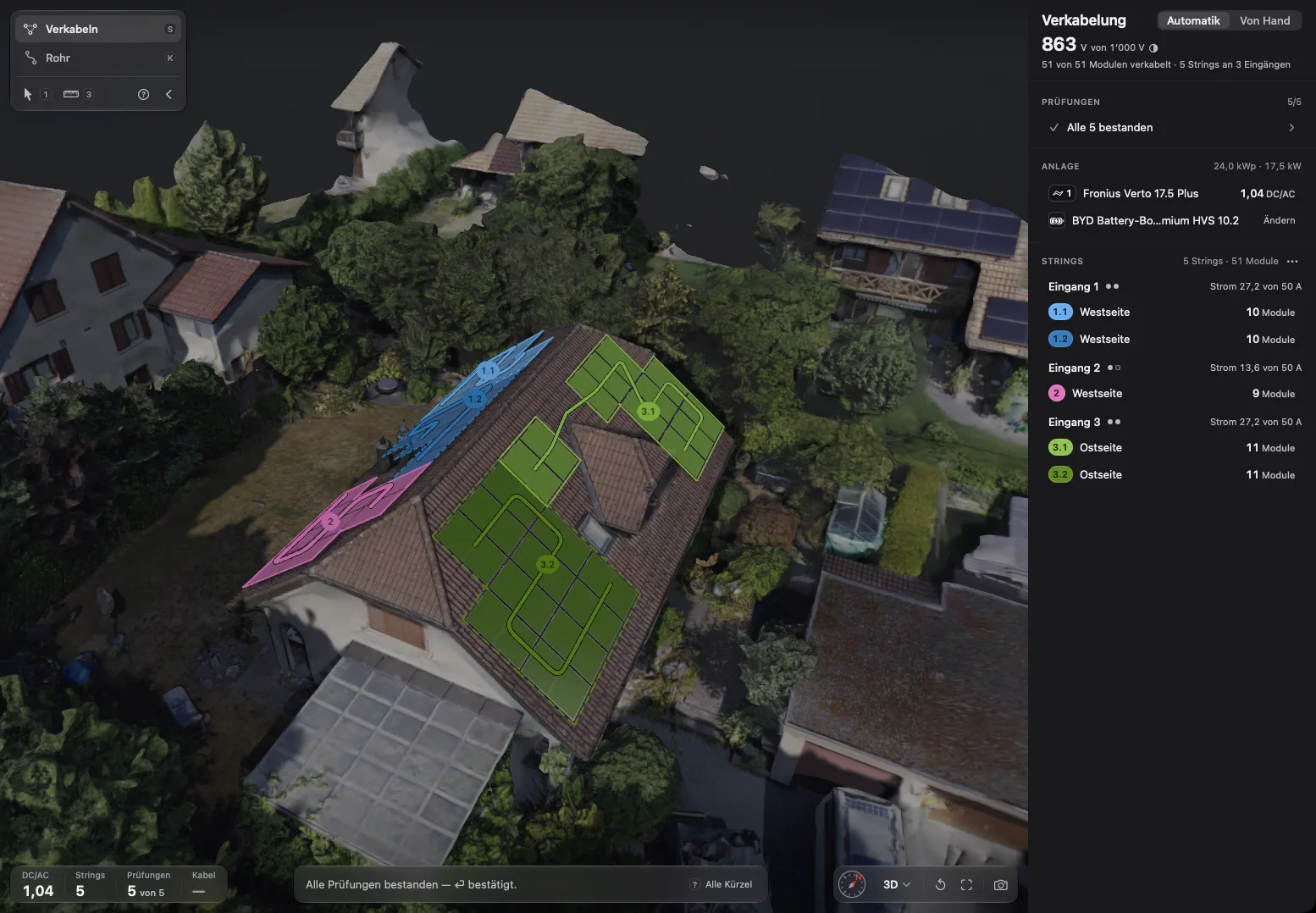
863V of 1,000 V
51 of 51 modules wired · 5 strings on 3 inputs
Wired before you look.
On entering the step, auto-wiring runs: it compares interconnections, puts five strings on the inverter's three inputs and checks every quantity against its limit — cold-weather voltage 863 of 1,000 V, current per input at most 27.2 of 50 A, DC/AC 1.04. All five checks passed.
![Wiring step: auto-wiring lays five strings in blue, pink and green on the roof; on the right, 863 of 1,000 V, 51 of 51 modules wired, all five checks passed.]()
Step 5 of 6 · Results
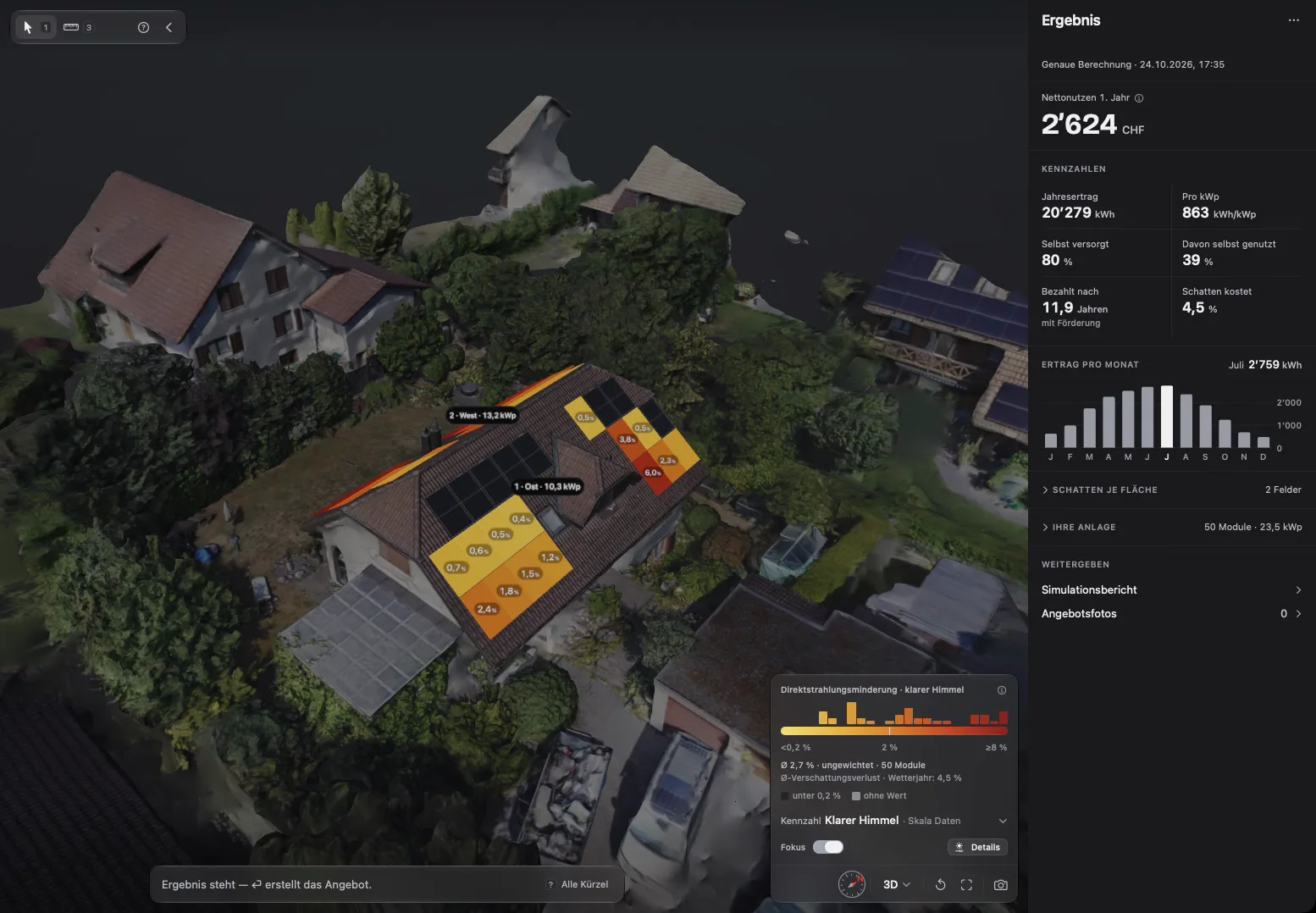
20,279kWh per year
Detailed calculation · 863 kWh/kWp · 80% self-sufficient
One calculation, not four.
Yield, self-sufficiency and shading come from one simulation, shading per module from 3D ray tracing: 50 modules, 50 values of their own. Next to it: the net benefit in year one, CHF 2,624, and payback in 11.9 years with subsidy. What shading costs is a single number: 4.5%.
![Results step: the camera moves in and the modules take on their shading colors; on the right, net benefit CHF 2,624, annual yield 20,279 kWh and yield per month.]()
Step 6 of 6 · Proposal
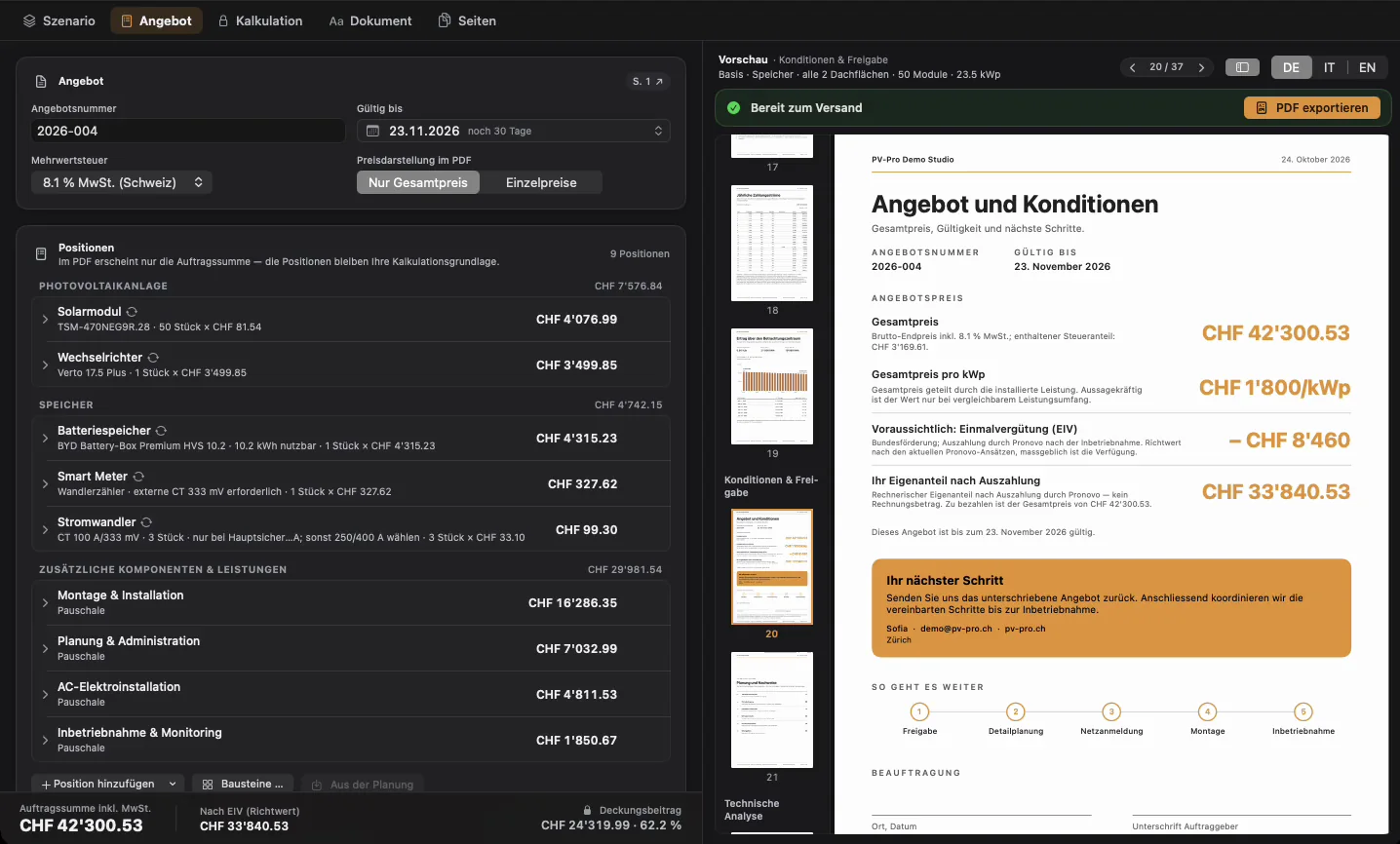
42,300.53CHF
Total incl. VAT · ready to send
Your design becomes the proposal.
Nobody retypes a number: modules, inverter and battery appear as line items on the left, with VAT and the one-time remuneration (Switzerland). On the right the PDF builds along — 37 pages from the system to the roof overview to the string layout, in German, Italian or English.
![Proposal editor: line items with prices on the left; on the right the PDF preview pages from the terms through system, roof overview and string layout.]()
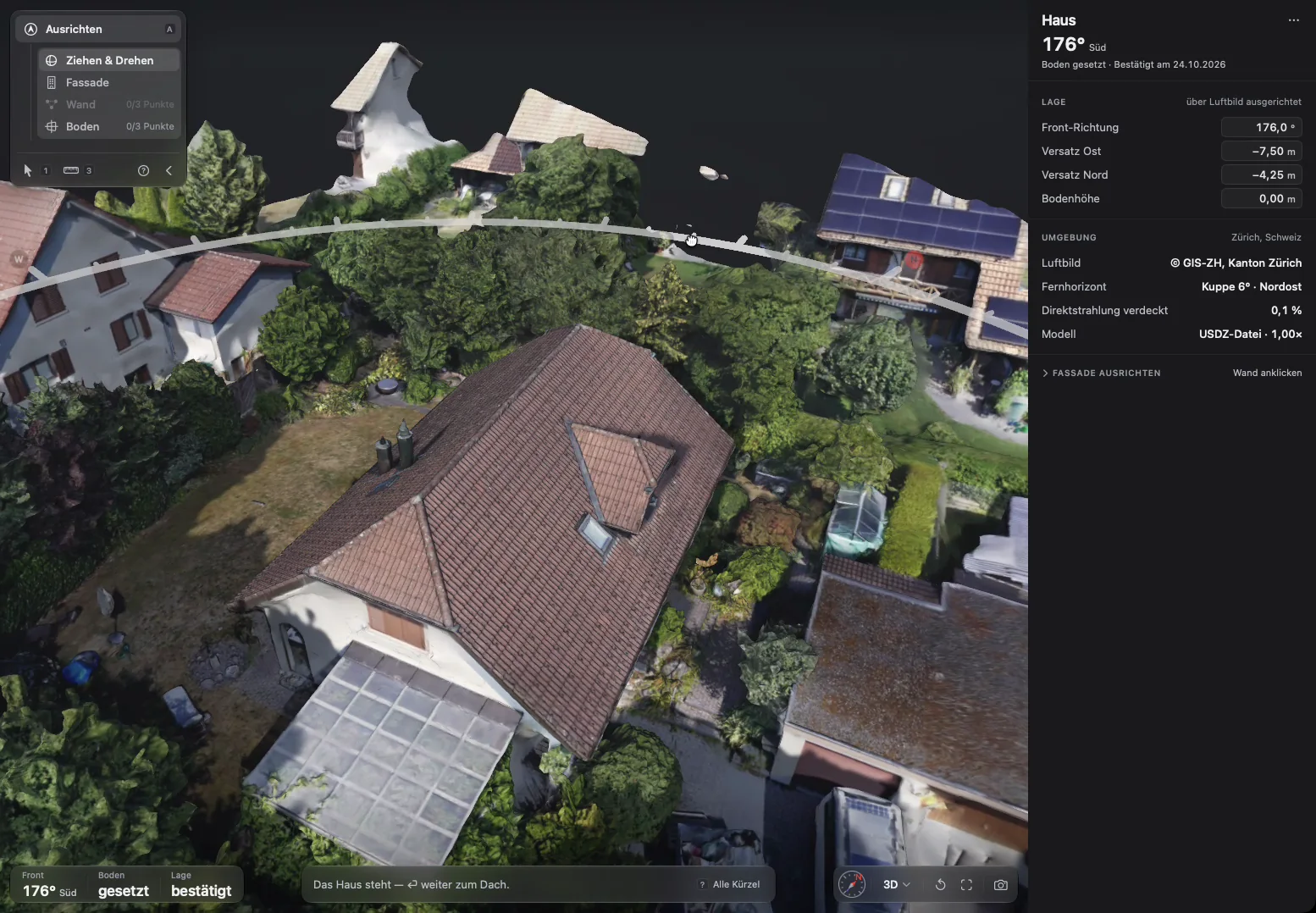
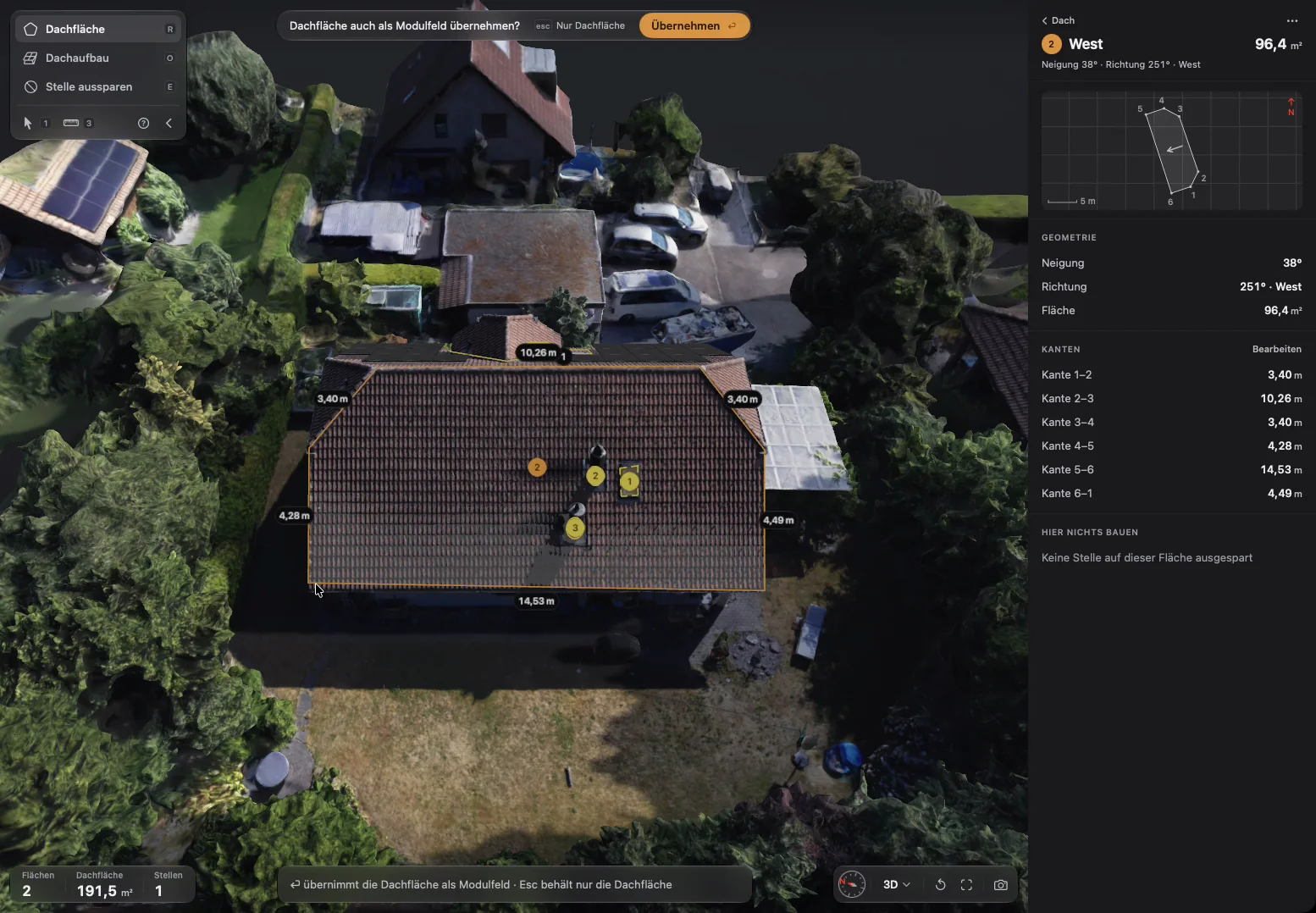
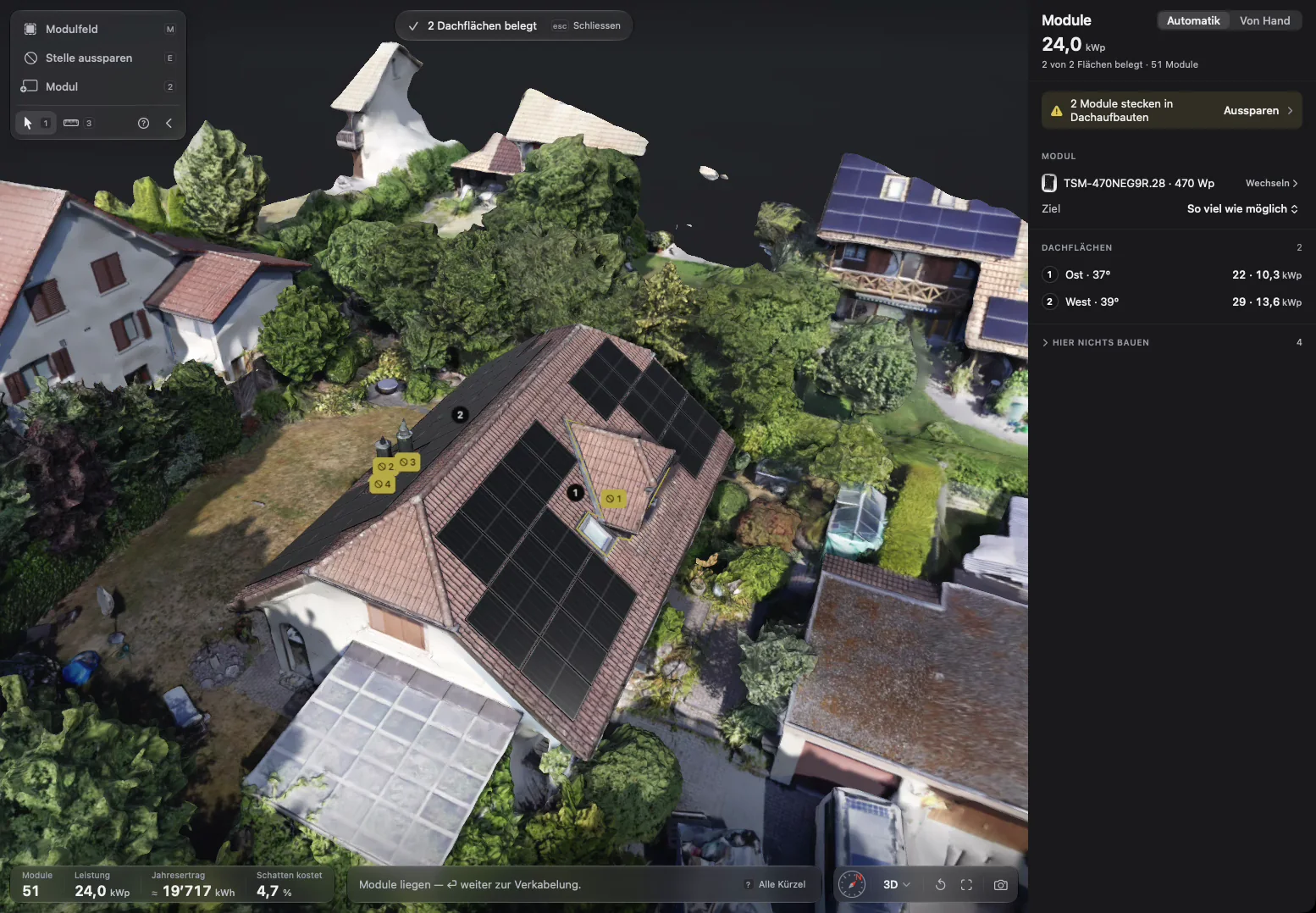
Recordings from PV-Pro (German interface), demo project “Wohnhaus Zürichsee”, simulated yields, not measured. House through wiring show the steps live — auto-layout places 51 modules there. Results and proposal show the saved plan with 50 modules. Shading and photogrammetry further down show the same house.
Background reading (in German): String design and inverter sizing · Calculating PV yield · PV economics
The document
is the product.
Your design becomes a PDF your customer understands without calling back: components with datasheet values, yield, economics, incentives — and a total that adds up.
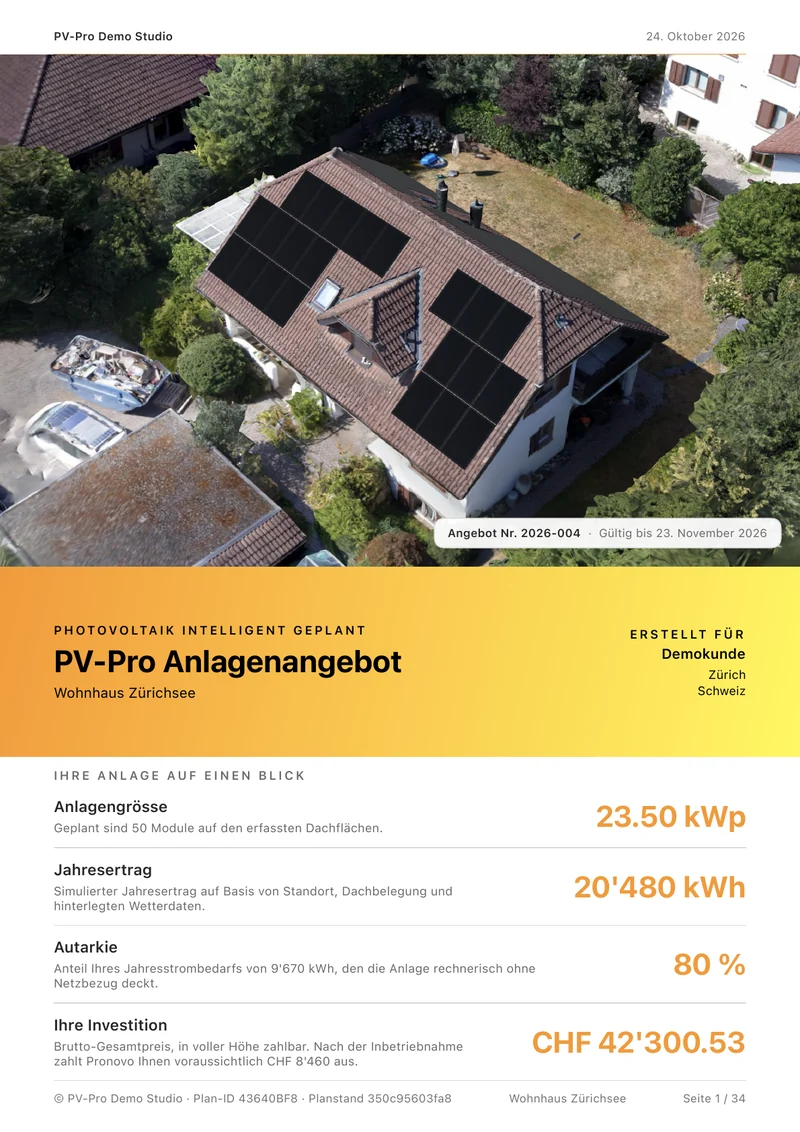
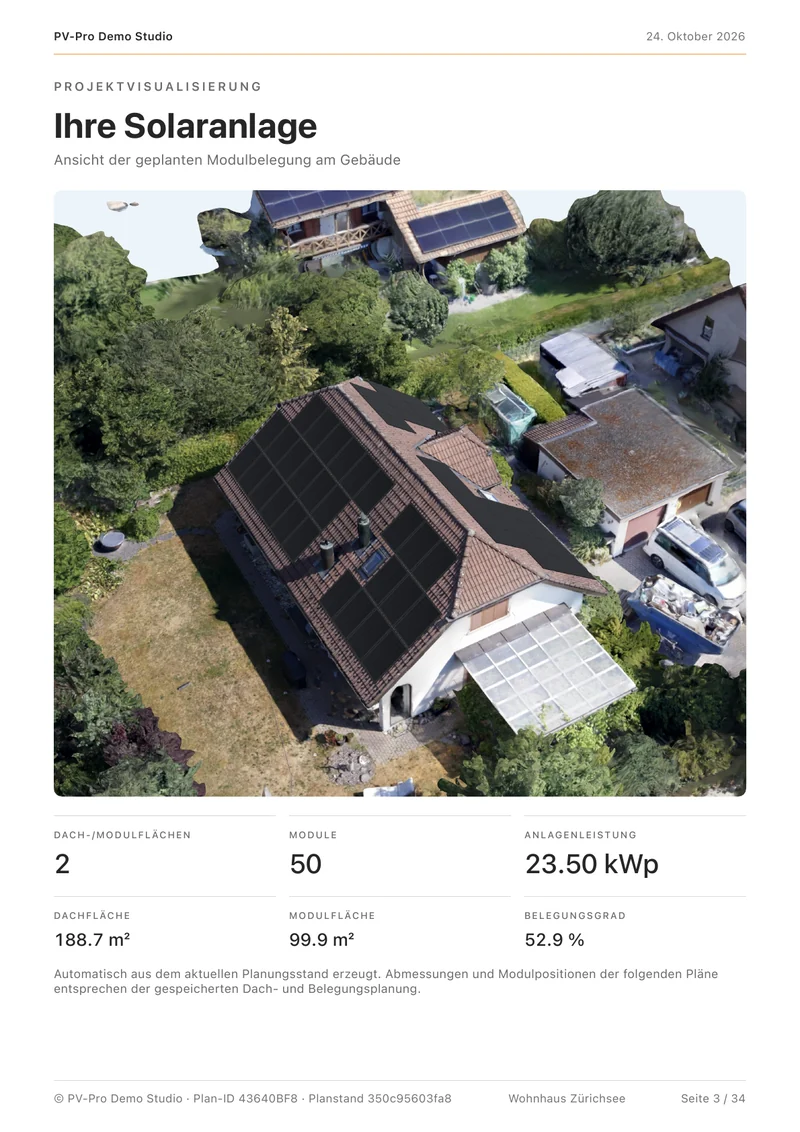
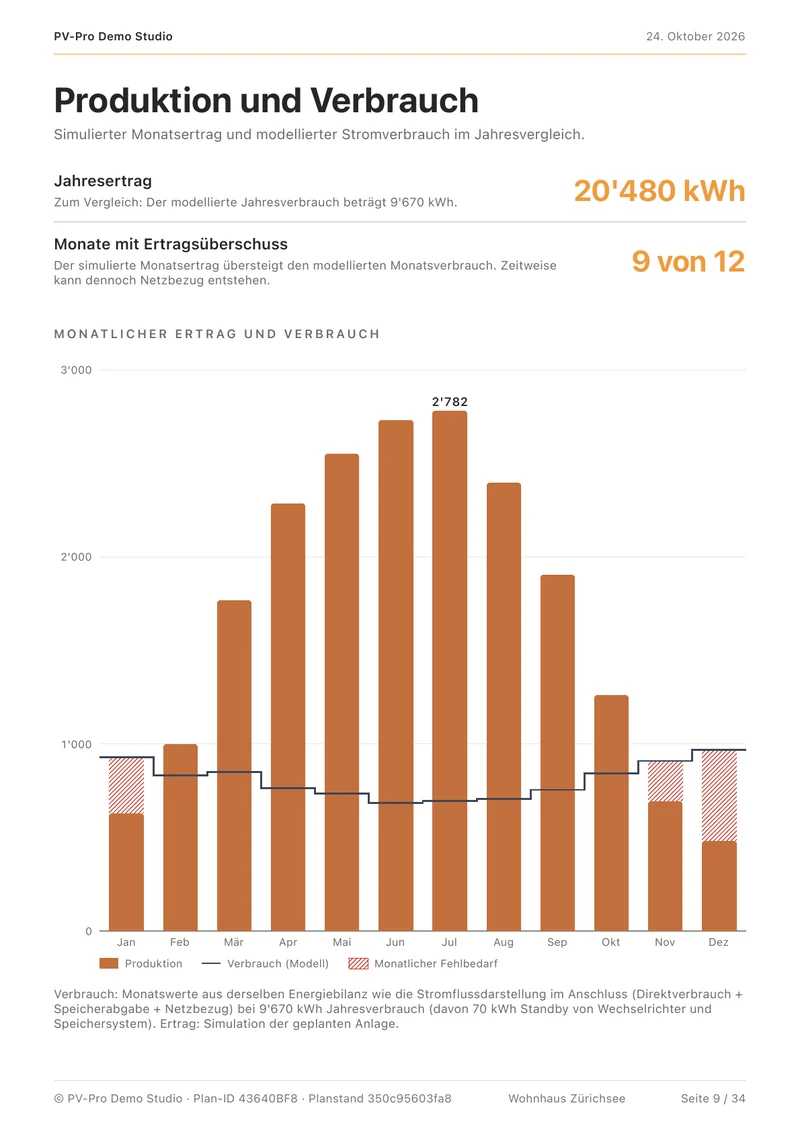
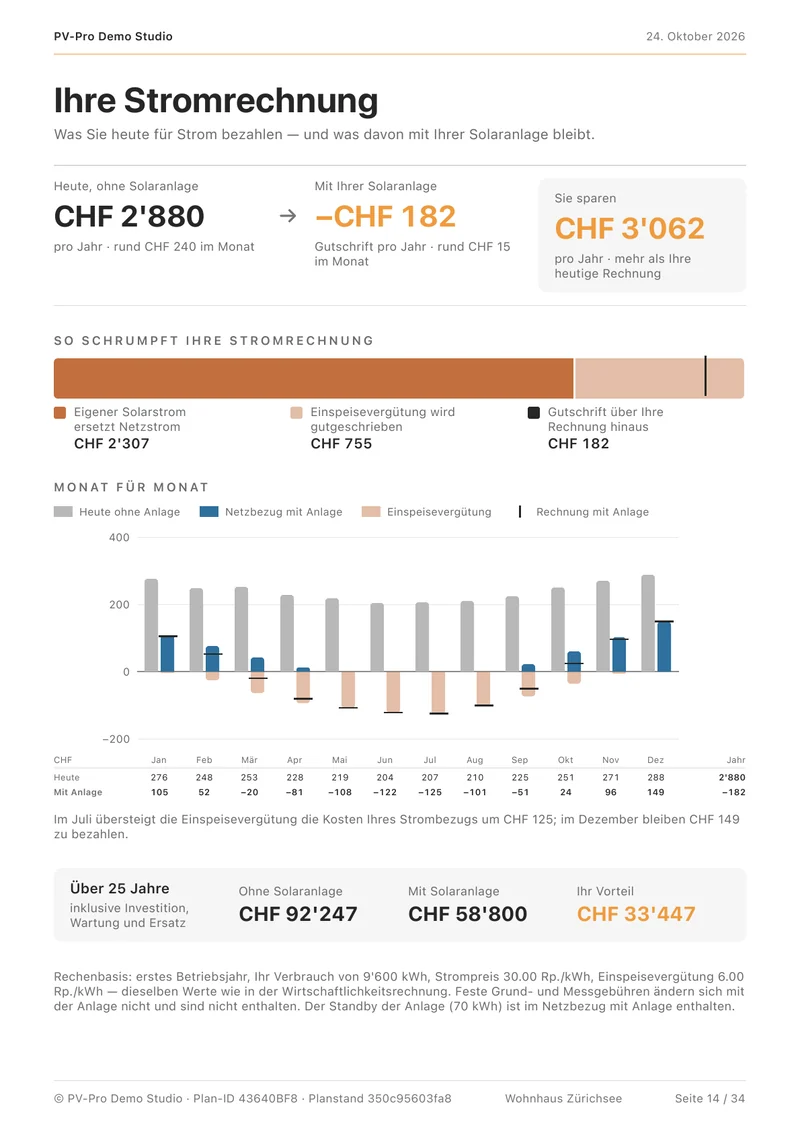
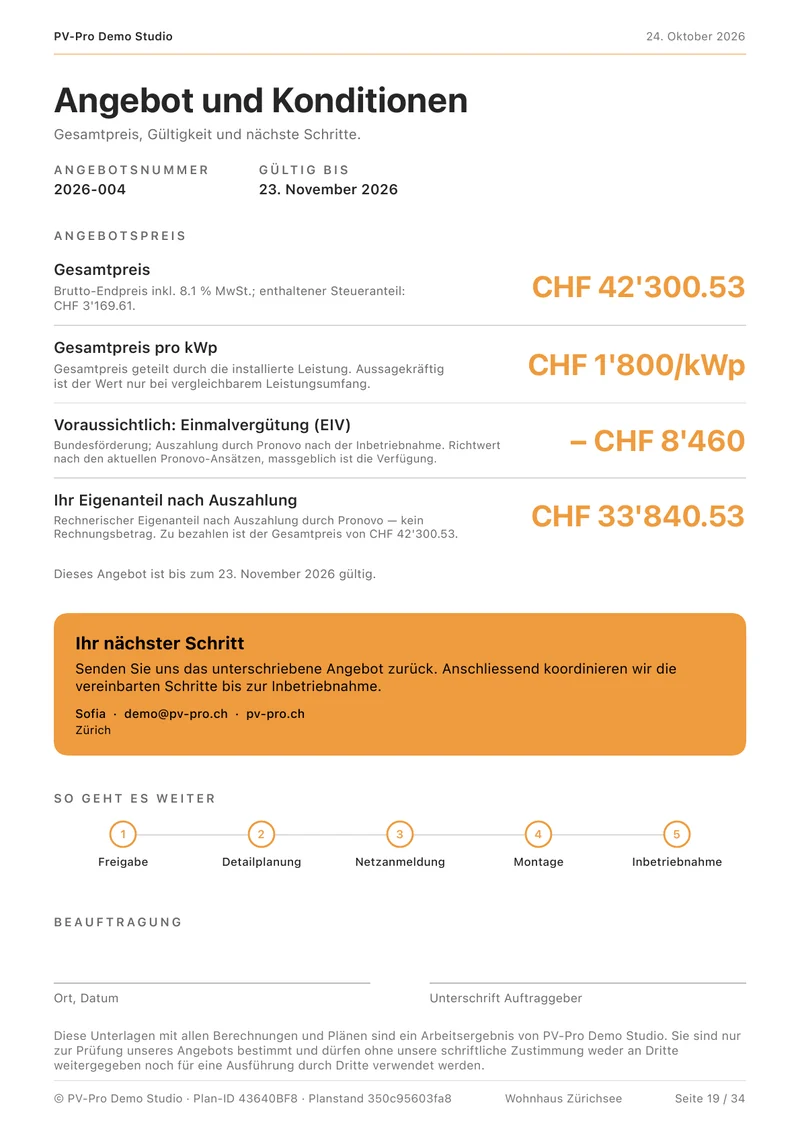
- If the design changes, PV-Pro flags the proposal as outdated instead of printing an old number.
- The line items add up to the stated total.
- Your margin is calculated alongside — visible to you, never to your customer.
- In German, English or Italian.
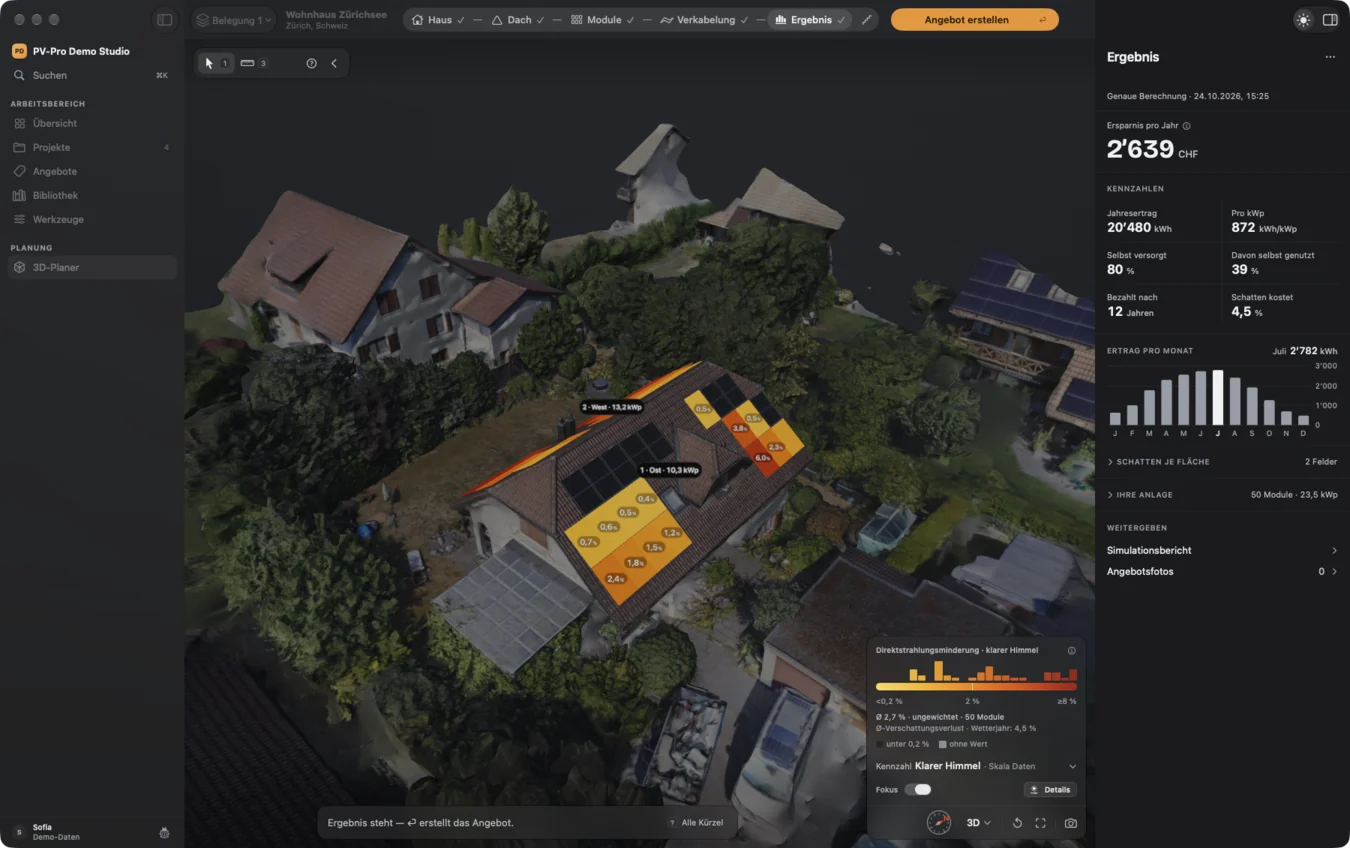
0.4%
lowest value shown
6.0%
highest value shown
On the same roof.
A flat shading allowance would get both ends wrong. PV-Pro calculates every module on its own — with 3D ray tracing across the whole year.
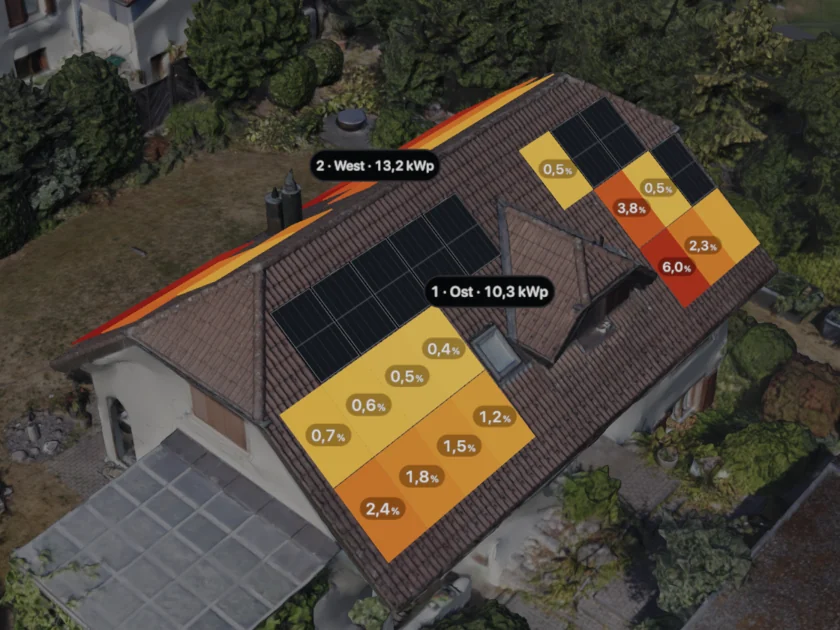
Reduction per module
<0.2%2%≥8%
Dark: below 0.2%, not colored.
The map shows the reduction in direct irradiance under clear skies — 2.7% on average across 50 modules. What shading costs in yield, PV-Pro also calculates with diffuse and ground-reflected light over a weather year: 4.5% here.
Demo project “Wohnhaus Zürichsee”, 50 modules.
Where the colors come from
August 9 · 5:00 am–9:30 pm
![Cast shadows on the gable roof on August 9 at 7:45 am.]()
7:45 am
![Cast shadows on the gable roof on August 9 at 1:00 pm.]()
1:00 pm
![Cast shadows on the gable roof on August 9 at 6:00 pm.]()
6:00 pm
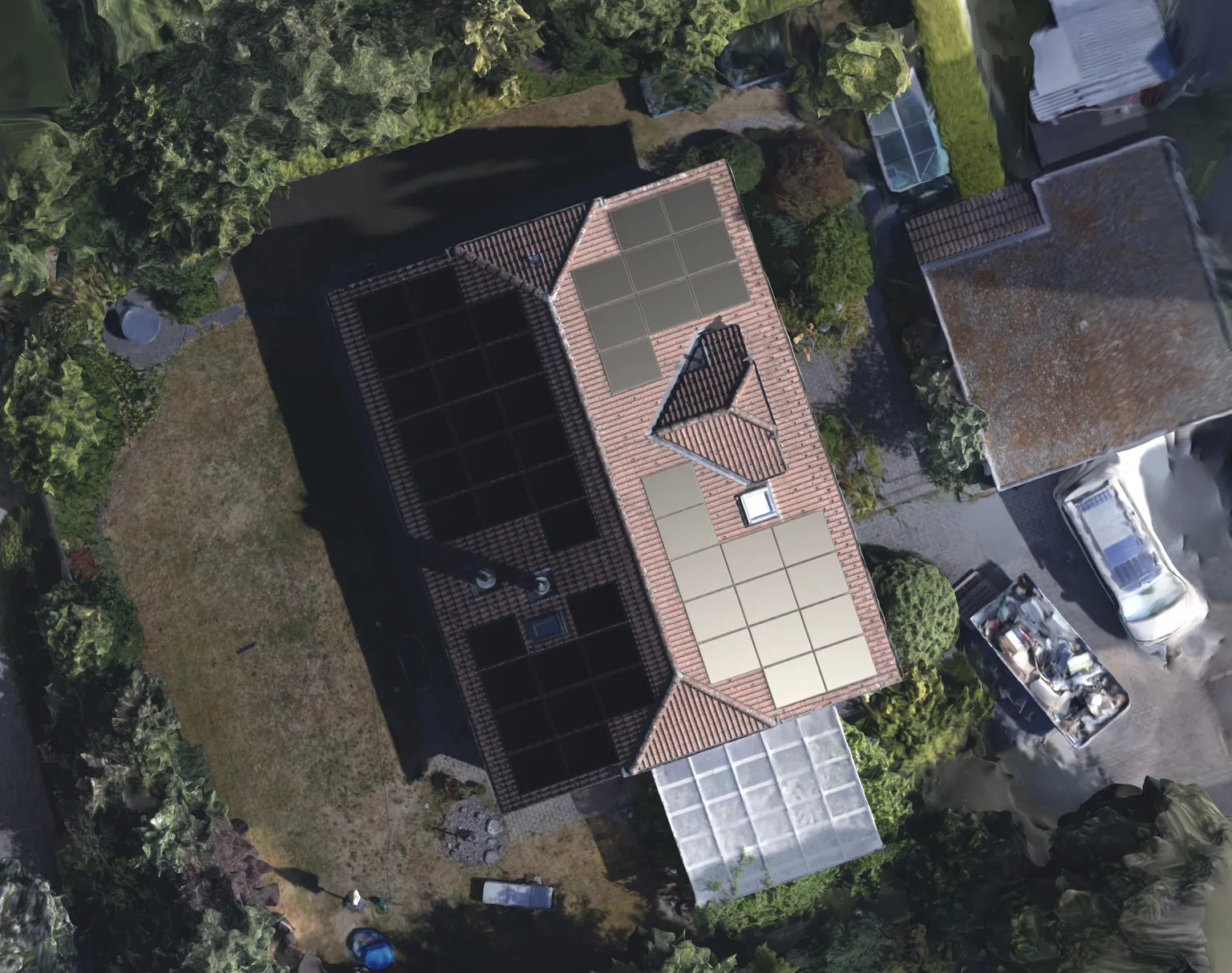
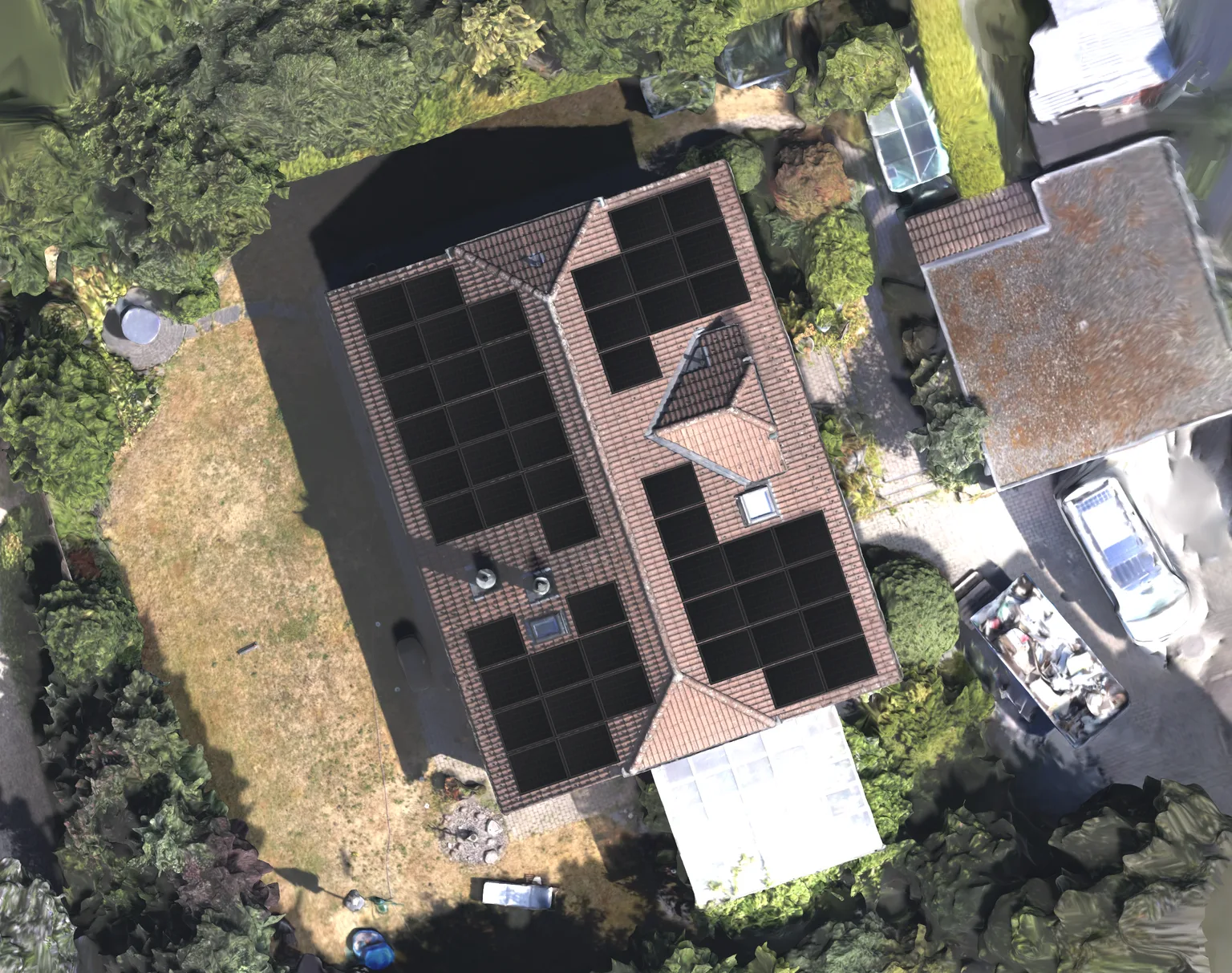
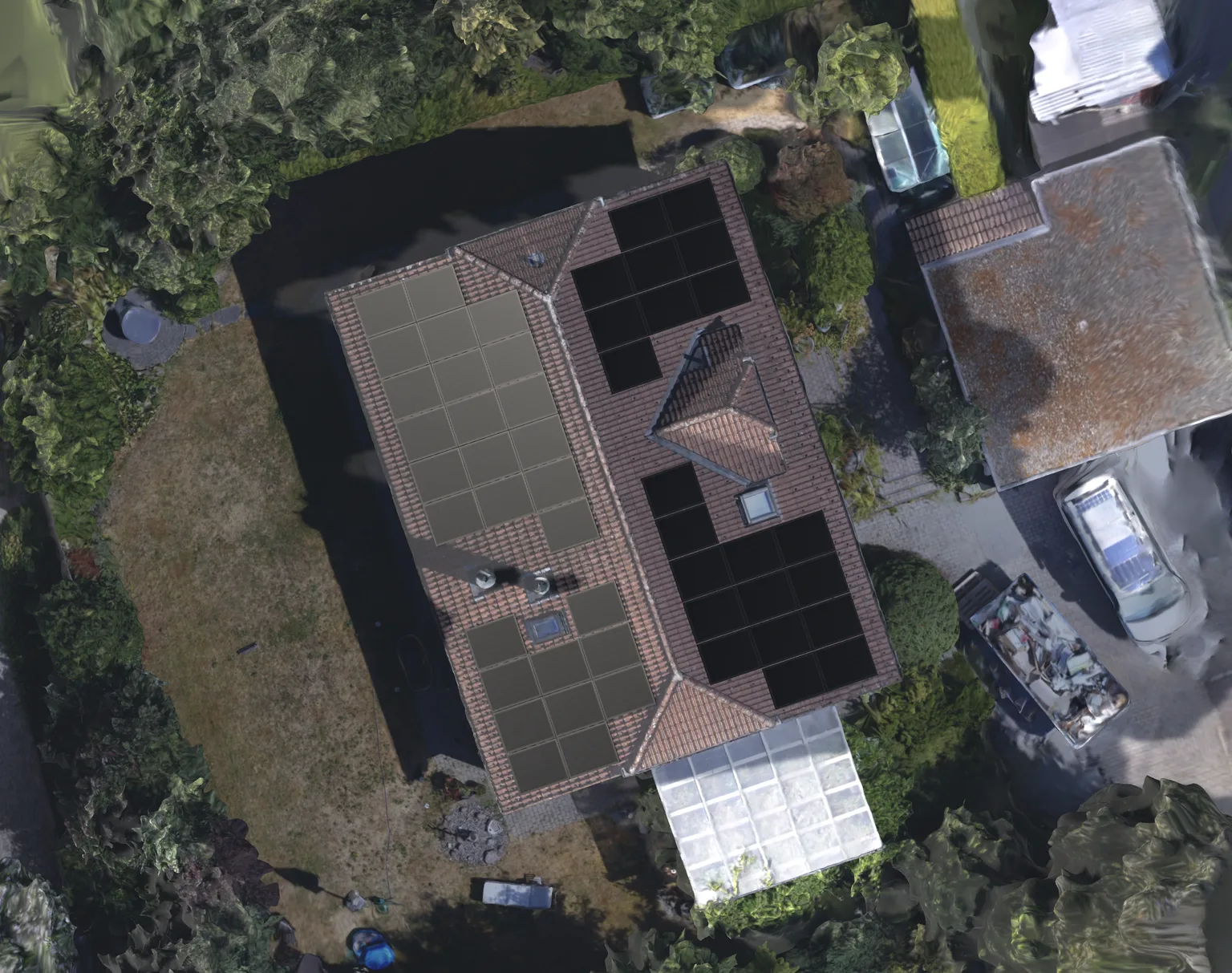
The building, neighboring roofs and roof fixtures cast the shadows that belong to the sun's position on this day. In the morning one half of the roof lies fully in the ridge's shadow, in the evening the other. The map above is what a year of such moments leaves on each module.
In the app it's a switch next to the map: heat map or cast shadows, same scene, same model.
How irradiance reduction differs from yield loss is explained in our guide to shading analysis (in German).
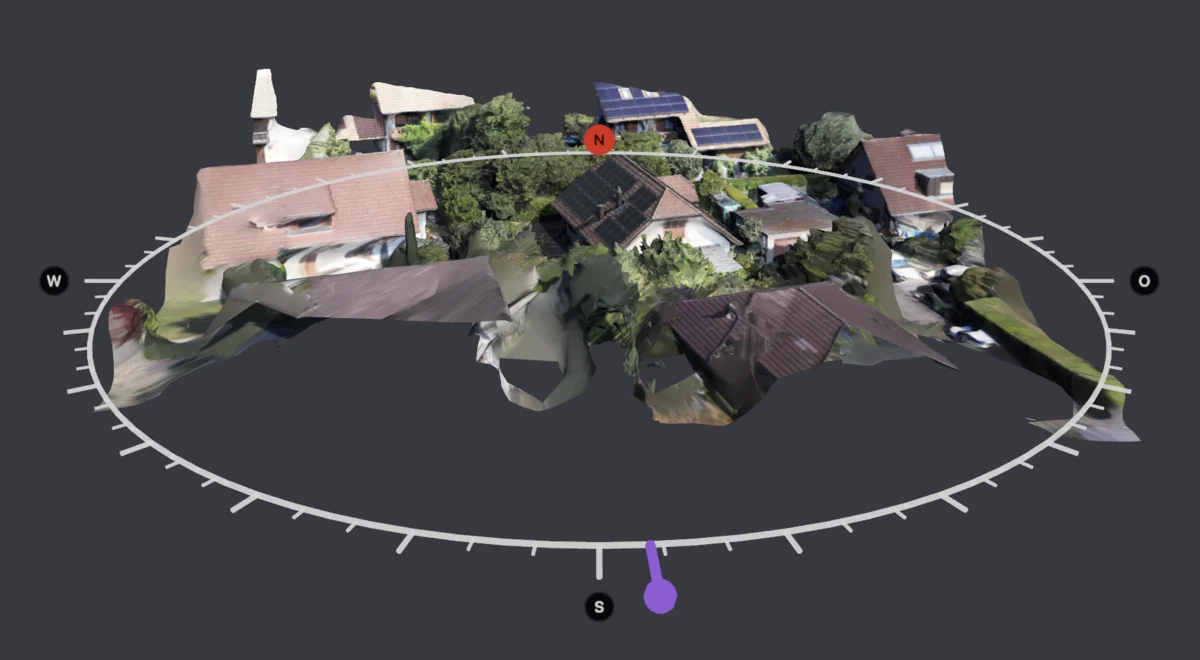
Drone photos become a measured 3D house.
PV-Pro turns existing drone photos into a 3D model right inside the project, using photogrammetry. The model is calibrated and then becomes the workspace for roof faces, module layout and shading.
How it works
Pick your photos
Select the folder of drone photos in the PV-Pro project and start the reconstruction.
PV-Pro builds the model
Six quality levels, from a quick draft to 16K textures. For interactive design, PV-Pro recommends the “Planung” (planning) level.
You design on the model
The model isn't a backdrop, it's the workspace: click a roof face, fill it with modules, check the shading, write the proposal.
Separate tools
- Reconstruct the photos in a separate application
- Export a 3D file and import it into the design tool
- Check scale and project assignment all over again
In PV-Pro
- Select existing drone photos in the project
- Generate and calibrate the 3D model
- Carry straight on with the PV design
Image sets, scale and model checks in detail: PV design software with photogrammetry (in German)
Change the layout, and the payback changes with it.
Components, incentives and economics run on the same data — what usually takes four programs sits in one window.
Economics that add up
Payback, net benefit and return over 25 years — from one unrounded series.
12.4years
to pay back
7.5%
Net benefit, year 1
7,586CHF
Profit over 25 years
Of 25 years of operation, 12.4 years are needed for the system to pay for itself.
Demo project · 25 years of operation
Incentives by location
One-time remuneration in Switzerland, EAG investment grant in Austria, feed-in tariff in Germany — by the system's location.
4,464CHF
One-time remuneration (Switzerland)
- Federal base rate, no bonuses
- 4,320
- Canton, CHF 12 per kWp
- 144
On average 372 CHF per kWp — for this 12.0 kWp system.
Demo project, Switzerland · rates per Pronovo, the Swiss subsidy agency
Components with datasheets
64 module types in the catalog, plus inverters, batteries and heat pumps — with their datasheet values. Add your own devices and prices.
Comet 2U G645-MCH72Mw G2
AIKO · System voltage 1,500 V
- Rated power Pmax
- 645Wp
- MPP voltage Vmpp
- 45.0V
- MPP current Impp
- 14.34A
- Module area
- 2.70m²
Check: the values follow from each other. 45.0 V × 14.34 A = 645 W
645 W ÷ 2.70 m² = 239 W/m² ≙ 23.9%
Catalog entry, values at STC
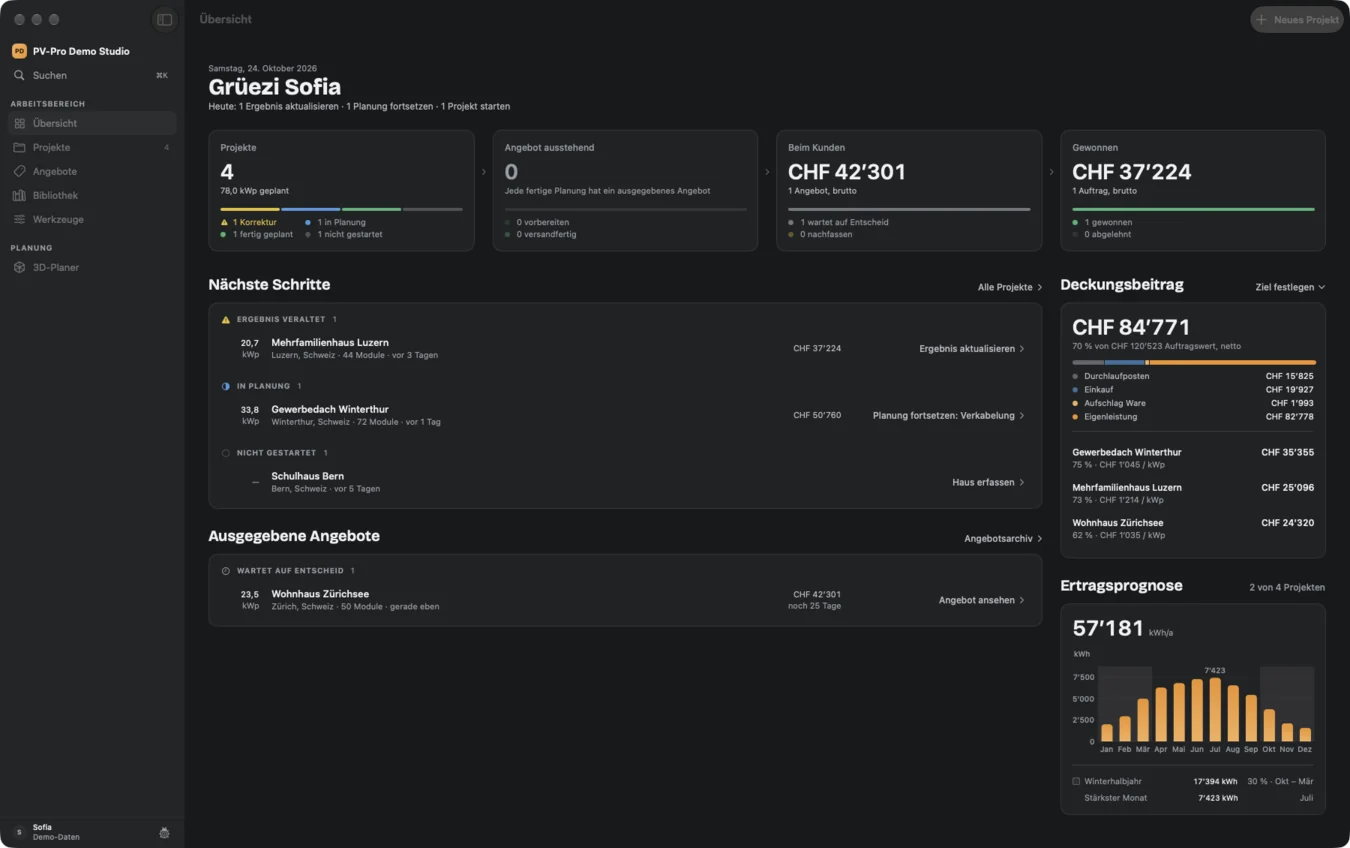
Built for the Mac you already work on.
Built for the Mac, not ported: Swift and SwiftUI, keyboard-first with Command K, macOS 15 or later.
Your customer data stays with you.
- Local on your Mac.
- Projects and customers live in a local database; iCloud sync is switched off, not just unused.
- Account and license in Frankfurt.
- Only sign-in and license checks go through our server.
- Notarized by Apple.
- Signed and checked, like every app macOS opens without a warning.
- This website sets no cookies.
- Visits are counted anonymously, without IP addresses.
You talk to the people who build PV-Pro.
No hotline, no ticket queue. PV-Pro is made by Vigorek GmbH in Oberengstringen near Zurich. Call us, write to us — or have us show you PV-Pro on one of your own roofs.
Marc Hammerschmidt · Christian FreibergerManaging directors
Pricing
Free during the beta. Active testers pay half in their first year.
EUR 125
per month, per seat
Yearly EUR 1,250 — two months free
Prices in euros.
Local pricing for North America at launch there.
Multiple seats
Tiered like a tax table: the first seat pays the full rate, each additional seat the rate of its tier.
| Seat | per month | per year |
|---|---|---|
| 1st seat | EUR 125 | EUR 1,250 |
| from the 2nd | EUR 115 | EUR 1,150 |
| from the 5th | EUR 105 | EUR 1,050 |
| from the 10th | EUR 95 | EUR 950 |
- No per-project fees
- Every feature in every seat
- Cancel at the end of any period
What people ask first.
What does PV-Pro do?
PV-Pro connects roof geometry, module layout, shading, electrical design and yield forecasting — and adds economics and the customer proposal. One project takes a PV system on the Mac from the building model to the proposal PDF.
Is PV-Pro available in my country?
Today PV-Pro calculates for Switzerland, Germany and Austria, each with its own rules: Swiss one-time remuneration, German EEG feed-in tariff, Austrian EAG investment grant. Irradiance and yield come from PVGIS, which covers Europe; what another country needs is the regulatory layer — tariffs, incentives, tax and official aerial imagery. We name a country when that is in place, not before. Join early access and tell us where you install.
Is the app in English?
The app's interface is German today. Customer proposals can already be generated in German, English or Italian. The English interface is in preparation.
What happens after I sign up?
In Switzerland, Germany or Austria you confirm your email, download PV-Pro from your account and sign in to the app with the same account. The beta is free for 90 days with two seats. Elsewhere you join the early-access list, and we write to you once your country is supported — no newsletter.
Do I need a drone?
No. Existing drone images are one of several ways in. A building can also come from the address (in Switzerland, from official geodata), from an outline you trace on the aerial image and give a roof shape, or from an existing file in USD, USDZ or OBJ format. If you only want to lay out modules, you can work directly on the aerial image — without a 3D building there is no shading analysis, though, and the app tells you so right in the selection.
What a drone flight adds: the chimney, dormer, skylight and the neighbor's tree are in the model as geometry instead of being estimated. Those are exactly the things that decide the shading.
Does PV-Pro run on Windows?
No. PV-Pro is built for the Mac, not ported — Swift and SwiftUI, macOS 15 or later. Building a model from drone photos also requires a Mac that supports Apple's reconstruction; the app checks this and otherwise doesn't offer that option.
Where are my project and customer data stored?
On your Mac, in a local database. PV-Pro doesn't keep projects in a third-party cloud: iCloud sync is switched off in the database container, not just unused.
How reliable is the shading analysis?
It works per module and comes from 3D ray tracing rather than a flat allowance — every module gets its own value, and the map shows them all side by side. What it reports is the reduction in direct irradiance under clear skies.
Can I manage my own components and prices?
Yes. The library holds modules, inverters, batteries and heat pumps; you add your own devices with their datasheet values and edit them there. Prices and cost assumptions belong to the proposal template rather than the individual project — set them once, and they carry into every proposal after that.
Can I get my data out again?
Yes. Every proposal is a PDF you keep, and every project can be exported as a readable JSON file: customer details, roof faces, module fields, inverters, strings and batteries, plus yield and economics where they have been calculated. The 3D building model itself is not part of that file.
What does PV-Pro cost?
EUR 125 or CHF 119 per seat and month, cancel at the end of any period. Yearly EUR 1,250 or CHF 1,190 — twelve months for the price of ten. The rate drops from the second seat. PV-Pro is free during the beta; active testers pay half in their first year.
Try PV-Pro free.
Create an account, confirm your email, download PV-Pro. The beta is free for 90 days with two seats. Active testers pay half in their first year at launch.
In the beta
- The full app, not a cut-down trial
- Set up with your company details, modules and prices on request — in a screen-sharing call
- A direct line to the people who build PV-Pro